 How-to
How to Choose Data Recovery Services for Small Business
Last Updated: October 26, 2026
Quick Summary
Choose data recovery services for small business by vetting facilities, transparency, confidentiality, turnaround time, and the contract terms if recovery fails. Get a written quote separating the evaluation fee from the recovery fee, with no-data, no-charge terms stated in writing. Compare the recovery cost against total loss, including downtime and lost sales.
- Call a professional the moment you hear clicking, smell burning, or see a drive vanish.
- Never run recovery software on a failing drive, because writes can push files out of reach.
- Ask who signs for the drive at pickup and whether every person who touches it is logged.
- Follow the 3-2-1 pattern: three copies, two media types, one copy off-site.
- Test restores quarterly at minimum, verifying a random file and one full system restore.
Table of Contents
- Why Data Loss Hits Small Businesses Harder
- Types of Storage Devices Data Recovery Services Cover
- Signs of Storage Failure and When to Call a Professional
- What Data Recovery Service Cost Looks Like
- How to Vet a Data Recovery Provider Before You Sign
- Building a Small Business Disaster Recovery Plan
- Small Business Data Backup Solutions That Prevent the Next Crisis
- Backup and Recovery Systems: What to Look For
- Frequently Asked Questions
Why Data Loss Hits Small Businesses Harder
A failed drive in a large company means a bad week. A failed drive in a small business can mean a closed business.
The businesses with no in-house IT staff are often the ones with the most to lose and the fewest safety nets. A large firm has redundant servers and a recovery budget. A five-person office has one NAS box and a hope.
Three factors make small business data loss so damaging:
- Single points of failure. One server, one drive, one backup that has never been tested.
- No spare staff. The person who knows where everything lives is often the owner, and they are already stretched thin.
- Cash flow exposure. Downtime stops invoicing, order processing, and payroll. Recovery cost is only part of the bill.
The good news: most of this is preventable, and the recovery process is far more predictable than it looks from the outside.
Types of Storage Devices Data Recovery Services Cover
Data recovery services handle far more than a single desktop hard drive. Knowing which device failed helps you describe the problem accurately and get a realistic answer about what is recoverable.
Hard Drives, SSDs, and RAID Arrays
Hard drive recovery addresses mechanical and logical failures in traditional spinning drives. Common cases include clicking drives, drives that are no longer detected, and accidental deletion.
SSD recovery is a different discipline. Solid-state drives fail through controller faults and firmware issues rather than moving parts, and their wear-leveling and TRIM behavior can make file recovery harder.
RAID recovery covers multi-drive arrays where one or more drives have failed. The danger here is a well-meaning reboot or rebuild that overwrites data across the surviving drives.
NAS, Servers, and Virtual Systems
NAS recovery deals with network-attached storage devices that often run their own operating system and file system.
Server recovery spans physical servers and the operating systems on them. Virtual system recovery covers virtual machines, hypervisors, and the snapshots that are supposed to protect them. Snapshots are not backups either, and many teams learn that the hard way.
USB drives, memory cards, and external storage are also covered, though these are usually lower priority than a failed drive holding business-critical data.
Signs of Storage Failure and When to Call a Professional
Call a professional the moment you hear repeated clicking, smell burning, or see a drive vanish from the system. Every additional minute of power-on time reduces the chance of a full recovery.

Watch for these warning signs:
- Grinding, clicking, or buzzing noises from a drive
- Files that open corrupted or disappear without explanation
- A drive that is not detected after a reboot
- Slower-than-normal access times that get worse each day
- RAID or NAS warnings about a degraded array
A common mistake is running recovery software on a failing drive. That software writes to the disk, and every write can push recoverable files out of reach. Power the device down and get an initial evaluation instead.
If you need someone local to assess the failure and handle computer data recovery, LEAP TEK Solutions provides responsive, local service. You can also get help with business PCs, setup, troubleshooting, repairs and data recovery from LEAP TEK Solutions in LaGrange and West Georgia.
What Data Recovery Service Cost Looks Like
Data recovery service cost depends on the failure type, device, and how much work the case requires. There is no single price, and any provider quoting a firm number before looking at the drive is guessing.
Most providers price along four axes: the device, the failure class, the urgency, and whether the case is a success-based fee or a flat rate. Emergency and expedited service adds a priority premium on top of the base price.
| Recovery Type | Typical Complexity | What Drives the Price | Questions to Ask |
|---|---|---|---|
| Logical recovery | Deleted or corrupted files, no hardware fault | Software work time | Is the fee flat or hourly? Is evaluation free? |
| Level 2 recovery | Firmware or controller issues | Specialized tools and labor | Are parts included? Is there a no-data, no-charge option? |
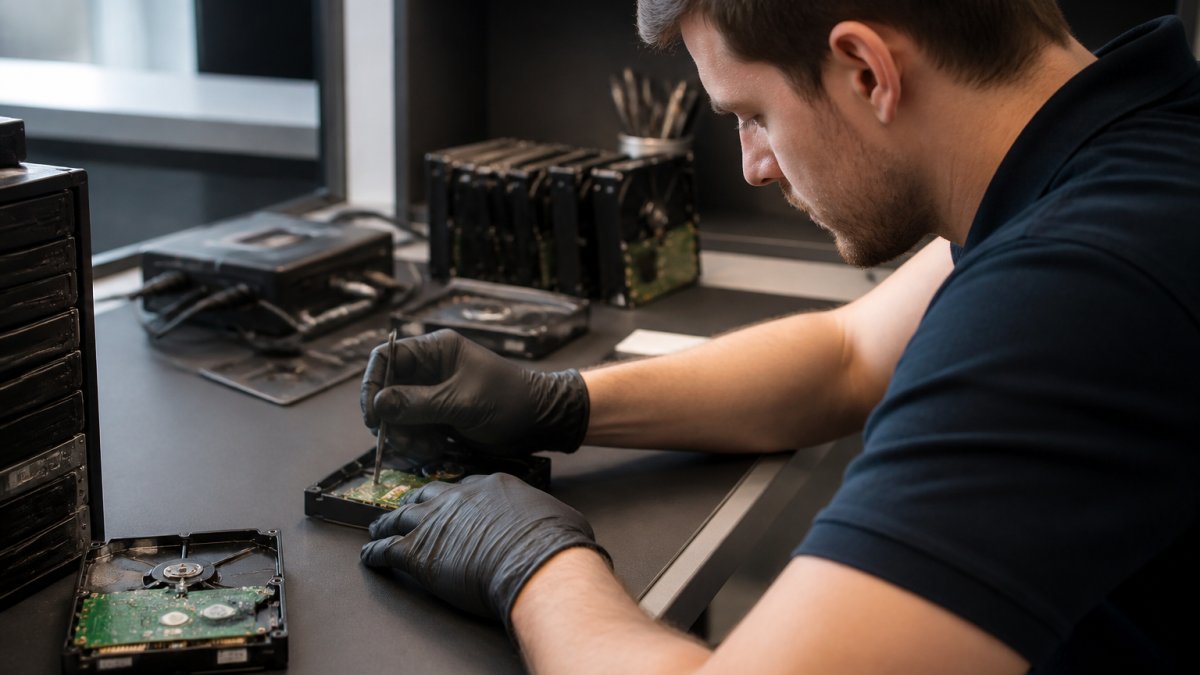
| Clean room recovery | Physical damage to the drive | Facility, parts, technician time | Is the clean room certified? Who pays for donor drives? |
| RAID or NAS recovery | Multiple drives, complex rebuild | Number of drives, array logic | Is pricing per drive or per case? |
| Emergency recovery | Rush turnaround | Priority scheduling | What is the guaranteed turnaround, in writing? |
A transparent quote should separate the evaluation fee from the recovery fee and state what happens if nothing is recoverable.
Compare the recovery cost against the total cost of loss, not just the invoice.
When you are ready to talk to a provider about recovery and ongoing protection, you can contact LEAP TEK Solutions for a free IT checkup.
How to Vet a Data Recovery Provider Before You Sign
Vetting a provider comes down to five things: facilities, transparency, confidentiality, turnaround time, and what the contract says when recovery fails. Most guides stop at the checklist. The difference between a provider that protects your business and one that exposes it is in the contract and the chain of custody, so treat those as the deciding factors.
Run this checklist before you sign:
- Does the provider have a clean room?
- Can technicians explain the recovery process in plain terms?
- Is there a written no-data, no-charge policy, or a stated evaluation fee?
- Will you get a quote after the initial evaluation, before work begins?
- Is there a signed confidentiality agreement covering data security?
- What is the realistic turnaround time, and what does expedited service cost?
- What success rate does the provider report?
- Who holds the drive at each stage, and how is it shipped?
What most guides miss is the contract question. Ask what happens to your data after the job, who can access it, and whether the provider keeps a copy. Get the answer in writing.
Chain of custody matters as much as the clean room. Ask who signs for the drive at pickup, how it is tracked in transit, and whether the provider logs every person who touches it.
On fees, confirm whether the quote is success-based or flat, and what triggers a charge if recovery is partial.
When you are ready to talk to a provider about recovery and ongoing protection, you can contact LEAP TEK Solutions for a free IT checkup.
Building a Small Business Disaster Recovery Plan
A small business disaster recovery plan is a written document that states what you will do in the first hour, the first day, and the first week after data loss.
Most plans fail for one reason: they exist only in someone's head. Write it down and store a copy somewhere that does not depend on the systems it protects.
Your plan should cover:
- An incident response checklist. Who declares the incident, who calls the provider, who tells customers.
- Recovery time objectives. How long each system can be down before the business is hurt.
- Recovery point objectives. How much data you can afford to lose, measured in hours.
- Contact list. Provider, insurer, key staff, and any cloud vendors.
- Communication script. What you tell customers and staff while systems are down.
- Post-recovery validation. How you confirm restored data is complete and correct.
Ransomware, cloud, and SaaS recovery belong in the same document. You can also protect business data with reliable backups, recovery planning and cloud or on-premises solutions from LEAP TEK in LaGrange, Georgia.
Small Business Data Backup Solutions That Prevent the Next Crisis
Small business data backup solutions only count if they are tested. An untested backup is a guess, and guesses fail at the worst possible moment.
A workable backup strategy follows the 3-2-1 pattern: three copies of the data, on two different types of storage media, with one copy off-site. Add immutability so ransomware cannot encrypt the backup, and add monitoring so a failed job raises an alarm instead of sitting silently.
The practical sequence for most small offices:
- Inventory every system that holds business data, including email and cloud drives.
- Set a backup schedule that matches how often the data changes.
- Store one copy off-site or in the cloud.
- Restrict who can delete or alter backups.
- Test a restore on a schedule and record the result.
For a deeper walkthrough of implementation, this 7-step guide to business data backup breaks the process down step by step.
Backup and Recovery Systems: What to Look For
Backup and recovery systems should be judged on one question: can you prove a restore works? Everything else is secondary.
Look for automated scheduling, versioning so you can roll back several days, encryption in transit and at rest, and clear alerts when a job fails.
Test restores quarterly at minimum. If you have never verified a backup, this step-by-step guide to testing business data backups shows how to do it without risking production data.
The real difference between a backup that saves you and one that does not comes down to testing discipline. Budget the time, or the backup is decoration.
Frequently Asked Questions
How much is a data recovery service?
Pricing varies widely. Recovery of RAID arrays, servers, and virtual systems usually costs more than a single drive because of the added complexity. Always ask for a written quote after the initial evaluation, and confirm whether the price includes parts, labor, and return media. For a small business, the total cost also includes downtime, so weigh the quote against lost revenue during the outage.
When should a small business use a professional data recovery service instead of software?
Call a professional when a drive makes clicking or grinding noises, when a device is not detected at all, when the data sits on a RAID array, NAS, or server, or when the files are business-critical and a failed attempt could make things worse. Do-it-yourself software can work for simple deleted-file recovery on a healthy drive, but running it on failing hardware risks overwriting recoverable files. If the data supports payroll, client records, or operations, stop using the device and get an evaluation first.
What should a small business ask before choosing a data recovery provider?
Ask about turnaround time for standard and expedited service, and how the provider protects confidentiality. Request a written quote after the initial evaluation. Also ask what media you get back, whether the recovered data is verified before delivery. Getting answers in writing protects you from surprise fees and vague promises.
How can a small business reduce downtime after data loss?
Have a written incident response checklist before an outage happens. It should name who to call, which systems to isolate, and how to reach your recovery provider. Keep an offline or off-site backup so you can restore operations while the failed drive is being recovered. Test restores quarterly so you know the backup actually works. Businesses that pair a tested backup and recovery system with a vetted recovery provider typically resume normal operations much faster than those improvising during a crisis.
Data loss is not a matter of if for most small businesses, it is a matter of when, and the businesses that recover fastest are the ones that planned before the failure. LEAP TEK Solutions provides proactive support and monitoring, reliable networks, and data protection through backup and recovery, all designed around how your business actually works and with no long-term contracts. Get started with LEAP TEK Solutions and turn your backup strategy into something you can prove works.