 Comparison
Managed Provider vs Software: Small Business Cybersecurity Provider Comparison
Last Updated: November 20, 2026
Quick Summary
A small business cybersecurity provider comparison comes down to whether you need a team watching your systems or tools you run yourself. Most small businesses need both, but they need the cybersecurity provider first, because software protects devices while a provider decides what to protect, configures it, tests it, and responds when something fails.
- A managed provider delivers monitoring, maintenance, tested recovery, and a human to call, which software cannot.
- Ask every provider how often they test restores, not just how often they run backups.
- Total cost of ownership covers subscription, onboarding, hardware, internal labor, and downtime and recovery.
- Get response times, escalation paths, and the definition of an incident committed in writing.
- Compare quotes on an all-in basis because low monthly quotes can exclude onboarding and after-hours coverage.
Table of Contents
- Managed Cybersecurity Provider vs Software: Which Fits Your Small Business
- Side-by-Side Comparison: Managed Providers and Security Tools
- Small Business Cybersecurity Services: What a Provider Actually Delivers
- Cybersecurity Tools for Small and Medium Businesses: Where Software Fits
- CrowdStrike Small Business Pricing and What It Reveals About Software Costs
- How to Choose a Cybersecurity Provider for Your Business
- Total Cost of Ownership: Beyond the Monthly Quote
- Get a Free IT Checkup Before You Commit
- Frequently Asked Questions
Managed Cybersecurity Provider vs Software: Which Fits Your Small Business
A small business cybersecurity provider comparison usually comes down to one question: do you need a team watching your systems, or a set of tools you run yourself? Most small businesses need both, but they need the provider first. Software protects individual devices. A provider decides what to protect, configures it correctly, tests it, and responds when something fails.
A business can buy antivirus and a firewall, feel covered, and then discover months later that backups were never tested and nobody owns the alerts. Below, we compare managed providers and security software honestly, including where each one falls short, so you can decide what your business actually needs.
Side-by-Side Comparison: Managed Providers and Security Tools
The table below applies the same criteria to both paths so the comparison is genuinely like-for-like.
| Comparison criterion | Managed provider | Standalone security software |
|---|---|---|
| What you are buying | Ongoing service: monitoring, maintenance, patching, help desk, incident response | Licensed tools for endpoint, email, network, or identity defense |
| Who configures and tunes it | The provider, under a service agreement | You or your staff, or a separate consultant |
| Who responds to alerts | Provider staff, with defined escalation | Your staff, during your business hours |
| Monitoring hours | Stated in the agreement (business hours vs. 24/7) | Whatever you can staff |
| Backup and restore testing | Scheduled and documented | Usually assumed, rarely verified |
| Patching and update ownership | Provider | You |
| Pricing basis | Monthly recurring fee, often per device or per user, plus onboarding | Per-seat or per-device subscription, often annual |
| Typical add-on costs | After-hours support, project work, hardware, backup storage | Modules, integrations, premium support, additional seats |
| Contract term | Often 12-36 months; month-to-month is available but less common | Usually 12-month subscription, auto-renewing |
| Exit and data portability | Defined in the agreement; ask who owns accounts and how data is returned | You retain the license; data may not be portable between tools |
| Best fit | Businesses without dedicated security staff | Businesses with technical staff who can own configuration and response |
Neither column wins outright. The decision turns on whether you have people who can own security day to day, and on how much of the total cost you are prepared to carry in labor rather than fees.
A standardized comparison only works if every provider is measured on the same criteria. Ask each candidate to answer the same questions in writing: monitoring hours, response-time targets, what counts as an incident, backup restore frequency, onboarding timeline, contract term, renewal terms, and exit process. Providers that cannot answer in plain language are telling you something useful.
Watch out: a low monthly quote can exclude onboarding, after-hours coverage, hardware, or backup storage, which makes the headline number look better than the real one. Compare quotes on an all-in basis before you decide.
Small Business Cybersecurity Services: What a Provider Actually Delivers
A managed cybersecurity provider delivers four things software cannot: monitoring, maintenance, tested recovery, and a human to call. That distinction matters more than any feature list.
Effective IT starts by understanding how your business operates, not by recommending products. A good provider evaluates what is already in place, identifies real risks, and focuses on improvements that deliver results.
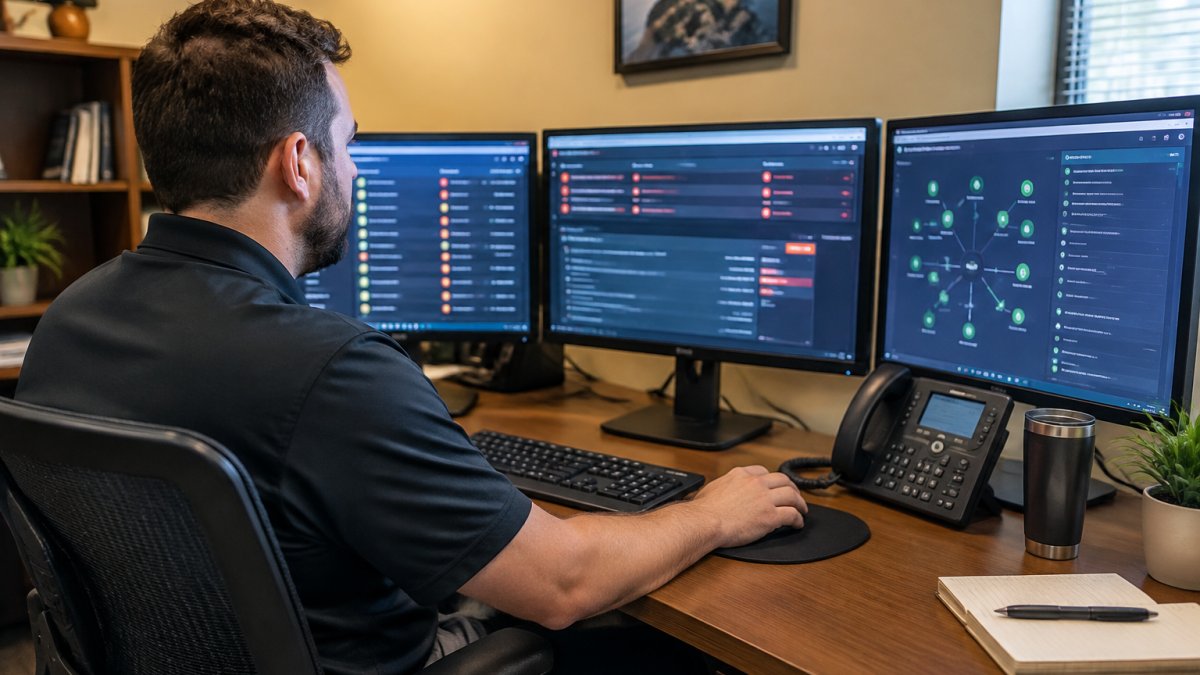
Monitoring, Backup, and Incident Response
Monitoring means someone watches for unusual activity and acts on it. Backup means copies exist. Recovery means those copies actually restore. The gap between backup and recovery is where small businesses get hurt.
A common mistake is assuming a backup tool equals a working backup. Backups may never have been tested, and security tools may not be properly configured. Ask any provider how often they test restores, not just how often they run backups.
Service Levels and Response Commitments
Service levels define what happens when something breaks. A provider should commit in writing to response times, escalation paths, and what counts as an incident. If a provider cannot explain their response process in plain language, that is your answer.
Cybersecurity Tools for Small and Medium Businesses: Where Software Fits
Security software earns its place when it addresses a specific gap. The categories below cover most small and medium business needs.
- Endpoint protection and EDR: antivirus plus behavioral detection on each device
- Next-generation firewall and network security: controls traffic in and out of your network
- DNS security: blocks access to known malicious domains
- Multi-factor authentication and access control: protects accounts even when passwords leak
- Email security: filters phishing and malicious attachments
- Cloud security and backup: covers Microsoft 365 and remote work endpoints
Product names matter less than configuration. You can explore stronger security for a safer business to see how endpoint, email, and ransomware safeguards fit together.
CrowdStrike Small Business Pricing and What It Reveals About Software Costs
Pricing for enterprise-grade endpoint detection and response is typically quoted per seat, tier, and commitment length, and depends on quantity, contract term, and modules selected. Contact each vendor directly for current pricing.
That structure creates a hidden cost. Software subscriptions scale with headcount and add-ons, and someone still has to configure, tune, and respond to what the tools report. Per-user pricing looks predictable until you add the labor to run it.
A full total-cost-of-ownership comparison accounts for five cost buckets, not one:
- Subscription and licensing: per-seat or per-device fees, module add-ons, and minimum seat counts.
- Implementation and onboarding: setup, integration, policy tuning, and staff training, often billed as a one-time project.
- Hardware and infrastructure: firewalls, appliances, backup storage, and replacement cycles.
- Internal labor: the hours your staff spend reviewing alerts, applying patches, and chasing false positives.
- Downtime and recovery: the cost of an outage or ransomware event, including lost revenue, restoration labor, and any regulatory or contractual consequences.
Buyers often underestimate the internal labor bucket. A tool that generates alerts nobody reviews is not protection; it is a subscription. When you compare quotes, ask each vendor to state what is included, what is extra, and what happens in a worst-case scenario.
Contract terms deserve the same scrutiny. Ask about auto-renewal clauses, price escalation at renewal, minimum term, cancellation notice, and whether onboarding fees are refundable. Data portability matters too: if you leave, can you export your configurations, logs, and policies, or do you start over?
For the service side of the comparison, review your outsourced IT department to see what proactive monitoring, maintenance, and help desk support include, and our guide to managed IT pricing models explained for buyers for the structures behind most quotes. A managed provider bundles several of these buckets into one recurring fee, which can make budgeting simpler even when the headline number is higher than a standalone subscription.
How to Choose a Cybersecurity Provider for Your Business
Choosing a cybersecurity provider starts with three questions: will they prevent problems or only fix them, how do they prove protection works, and who owns your accounts and data? Get clear answers before you sign anything.
Questions to Ask Before You Sign
- Do you only fix things when they break, or do you help prevent problems?
- How do you handle cybersecurity, and do you monitor our systems?
- How often are backups tested, and can you show a restore?
- What happens if our network goes down or we are hit with ransomware?
- Have you managed business-critical IT environments before?
- Who owns our Microsoft 365 accounts, domain names, licenses, and passwords?
- What are your response times, in writing?
- What does exit look like if we leave?
Do not choose an IT provider based on who promises the cheapest support. Responding when things break differs from actively monitoring and preventing failures. For a deeper look at whether managed security pays off at your size, read are managed security services for small business worth it.
Total Cost of Ownership: Beyond the Monthly Quote
Total cost of ownership combines subscription fees, staff time, downtime risk, and recovery cost. A cheap tool with no one to run it is expensive the first time it fails.
Compare quotes on the same basis: what is included, what is extra, and what happens in a worst-case scenario. Pricing models vary widely, and understanding them changes the comparison. Our guide to managed IT pricing models explained for buyers breaks down the structures behind most quotes. For the service side of the comparison, review your outsourced IT department to see what proactive monitoring, maintenance, and help desk support include.
Get a Free IT Checkup Before You Commit
Before you commit to any provider or software stack, get an independent read on what you already have. Working computers and a running network do not mean your business is secure, your backups are reliable, or you are ready for an outage.
LEAP TEK Solutions identifies your biggest technology risks and designs solutions around how your business works, with no contracts and no obligation. Services include proactive monitoring, reliable networks, and data protection through backup and recovery. If you want to know where you actually stand, request your free IT checkup and we will walk you through the findings.
The real risk for a small business is not choosing the wrong product. It is assuming someone is watching when no one is. Start with a clear picture of your current setup, then decide whether you need software, a provider, or both. Get started with LEAP TEK Solutions and find out what your business actually needs before you spend another dollar on tools.
Frequently Asked Questions
What cybersecurity services does a small business need?
Most small businesses need endpoint protection, network security with a firewall, multi-factor authentication, tested backup and recovery, and security monitoring. A managed cybersecurity provider packages these with ongoing monitoring and incident response, while software tools cover individual pieces. Start by identifying your biggest risks, then match services to those gaps rather than buying every product on the market.
How much does small business cybersecurity cost?
Costs vary widely based on the number of devices, users, and services covered. Software suites typically charge per user or per device, while managed providers quote based on endpoints and scope of monitoring. Pricing depends on your environment, so ask for a written quote after an assessment. Avoid choosing a provider based only on the lowest monthly number, because unmonitored or untested coverage often costs more after an incident.
What is the difference between an MSP and an MSSP?
A managed service provider (MSP) handles broad IT needs like networks, devices, and help desk support. A managed security service provider (MSSP) focuses specifically on security monitoring, threat detection, and incident response. Many small businesses work with one provider that covers both, which keeps accountability in one place and avoids gaps between who maintains systems and who secures them.
Is managed cybersecurity better than cybersecurity software for a small business?
Software gives you tools; a managed provider gives you tools plus people who watch them. If you have no in-house IT staff, software alone often goes unconfigured and alerts go unread. A managed provider monitors systems, tests backups, and responds to incidents. Many businesses combine both: software for endpoint protection and a provider for monitoring, configuration, and response.
Can a small business afford managed cybersecurity services?
Managed services are usually priced per user or per device, which scales to small teams. The bigger question is what an outage or ransomware attack would cost in downtime, lost data, and recovery. Ask providers for a scoped quote after reviewing your current setup, and check whether contracts are month-to-month or multi-year. No-contract options let you evaluate the fit before committing long term.