 How-to
Are Managed IT Services for Hospitality Worth It?
Last Updated: October 25, 2026
Quick Summary
Managed IT services for the hospitality industry are worth it because hospitality IT cannot tolerate downtime windows, and proactive support keeps networks, Wi-Fi, point-of-sale, property management, backups, and security running during the hours you advertise. Instead of hourly break-fix bills, you get monitoring, written response targets, and predictable monthly costs.
- Break-fix IT is reactive by design, and hospitality systems fail at the worst possible times, under peak demand.
- A typical managed engagement includes help desk support, proactive monitoring, network management, backup and recovery, cybersecurity, and vendor coordination.
- Most hospitality outages are network, credential, or integration problems rather than software faults.
- Ask for separate response targets for system-down, degraded, and individual-device issues, and confirm after-hours coverage.
- Compare total cost of ownership, not sticker price, and watch for quotes excluding backup testing, after-hours coverage, or vendor coordination.
Table of Contents
- Why Hospitality Businesses Outgrow Break-Fix IT
- What Hospitality IT Support Services Actually Cover
- Managed IT Services for Hotels: Front Desk to Back Office
- Hospitality Cybersecurity: Protecting Guest and Payment Data
- Hospitality Network Management and Proactive Monitoring
- How to Choose and Onboard a Hospitality IT Partner
- Get Your Free IT Checkup Before the Next Peak Season
- Frequently Asked Questions
Why Hospitality Businesses Outgrow Break-Fix IT
A guest checks in at 9:40 on a Friday night. The front desk terminal freezes mid-transaction.
That is the moment most hospitality owners stop believing in break-fix support. Managed IT services for the hospitality industry exist because hospitality cannot tolerate downtime windows.
Break-fix IT is simple: something breaks, you call, someone bills you by the hour to fix it.
The shift to proactive support is less about technology than about who carries the risk. For a deeper look at proactive vs reactive IT support, see the comparison guide.
What Hospitality IT Support Services Actually Cover
Hospitality IT support services cover the systems that keep guests served and staff working: networks, Wi-Fi, servers and cloud, email, point-of-sale, property management, backups, and security. It is not just fixing a laptop. It is keeping the whole operation running.
A typical managed engagement includes:
- Help desk and technical support for staff, by phone and remote, with on-site support when hardware fails
- Proactive monitoring of servers, network gear, and endpoints so issues surface before service does
- Network management for wired and wireless infrastructure, firewalls, and guest Wi-Fi
That last item matters more than it sounds. Hospitality runs on third-party platforms, and when one of them has an outage, someone has to own the ticket. Explore LEAP TEK managed IT to see how that coverage is structured for local businesses.
Managed IT Services for Hotels: Front Desk to Back Office
Managed IT services for hotels connect the guest-facing side of the building to the operational side.
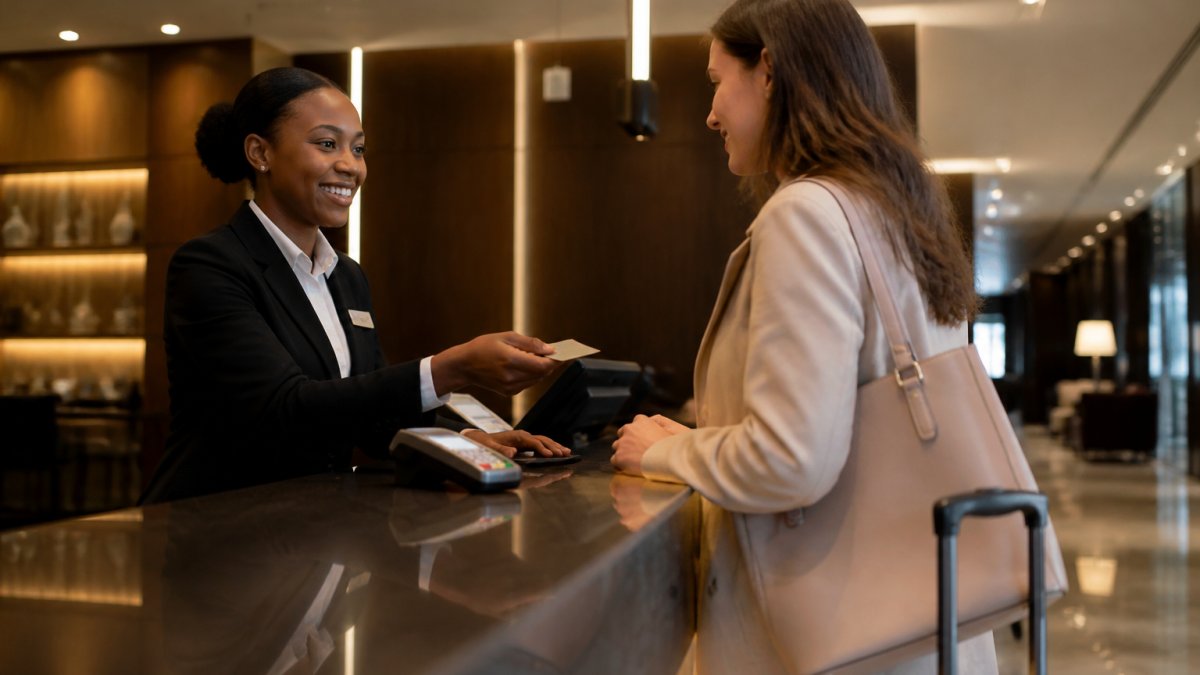
Front desk operations depend on the property management system, key card encoding, and payment processing running together. A PMS outage stops check-ins.
Back-office operations are quieter but just as exposed: email, accounting exports, payroll files, and reservations reporting. On an aging server with no tested backup, a single drive failure can take days to unwind.
Property Management and Point-of-Sale System Support
Property management and point-of-sale support means keeping the platforms that take reservations and payments online, patched, and integrated with everything around them: the PMS, the POS, the booking engine, the payment terminals, and the network they sit on.
Most hospitality outages are not the software's fault. They are network, credential, or integration problems wearing a software costume.
Guest Wi-Fi and Connectivity That Holds Up at Peak
Guest Wi-Fi is a guest experience product, not a courtesy. When it fails during a full house, guests say so in reviews, and good service does not offset it.
Getting it right means separate networks for guests and business operations, capacity planning for peak demand, and access points placed for real coverage rather than best guess. FCC guidance on securing your wireless network Segmentation keeps guest traffic away from your PMS and payment systems, which is both a security and a performance decision.
If your current setup was installed once and never revisited, explore business network design and support to see what a properly planned network looks like.
Hospitality Cybersecurity: Protecting Guest and Payment Data
Hospitality cybersecurity protects guest records, payment card data, and business systems from theft, ransomware, and account takeover. Hotels and restaurants are attractive targets: they hold payment data, run many accounts across many devices, and operate long hours with high staff turnover.
The real risks for a hospitality business are specific:
- Ransomware locking up the PMS or accounting files with no clean backup to restore
- Payment card skimming through compromised terminals or weak network segmentation
- Phishing aimed at front desk and reservations staff who handle email all day
Compliance matters here too. If you take cards, the Payment Card Industry Data Security Standard applies to you, and the PCI Security Standards Council publishes the requirements. A managed provider should help you implement controls, not just install antivirus.
Payment-Data Controls
Start by shrinking where card data lives. Use point-to-point encryption terminals so card numbers never traverse the local network in the clear, and confirm the payment processor supports tokenization so stored references replace raw card numbers. Restrict who can reach the payment environment, review those rules quarterly, and use a dedicated payment VLAN carrying only terminal traffic, with no guest Wi-Fi or staff laptop access.
Identity and Access
Give every staff member a named account, even on shared front-desk machines, and use role-based permissions so housekeeping cannot open the PMS financial module. Enforce multi-factor authentication on email, the PMS administrative console, and any remote-access tool, and disable accounts the day an employee leaves.
Network Segmentation
Separate guest Wi-Fi, business operations, and payment traffic into distinct network segments with firewall rules between them. Guest devices should never reach the PMS, POS, or back-office servers. Segmentation contains a compromised guest device and keeps peak guest traffic from crowding business systems.
Vendor and Remote Access
Every PMS, POS, and booking platform vendor will ask for remote access. Grant it through a managed remote-access gateway with logging, time limits, and approval rather than standing open ports, and review the vendor list each year to remove platforms you no longer use.
Incident Response
Write a one-page incident response plan that names who calls whom, how to isolate the payment network, and how to restore from backup. Test a restore before you need it. For hospitality, the plan should also cover guest communication and manual check-in procedures if the PMS is unavailable.
See the cybersecurity services available to protect guest and payment data.
Hospitality Network Management and Proactive Monitoring
Hospitality network management is the ongoing work of keeping infrastructure healthy: monitoring, patching, capacity planning, and lifecycle management. Proactive monitoring turns IT from a repair service into an uptime service.
In practice, alerts fire when a drive is failing or a switch is saturated, not when a guest complains. Patch cycles run on a schedule, backups get restore-tested, and hardware gets replaced on a plan instead of on a bad night.
What to Monitor in a Hospitality Environment
A hospitality monitoring stack should cover more than server ping. The systems that matter most are the ones guests touch:
- Property management system availability and response time, with alerts tied to check-in hours
- Point-of-sale terminals and payment gateways, including transaction failures
- Guest Wi-Fi access-point health, client counts, and throughput per band
Hospitality-Specific Response Targets
Generic monitoring contracts promise a response time. Hospitality needs severity tiers tied to guest impact. Ask for separate targets for system-down, degraded, and individual-device issues, and confirm whether after-hours coverage is included or billed separately. A workable structure is:
| Severity | Example | Target Response | Target Resolution |
|---|---|---|---|
| Critical | PMS down during check-in, payment processing halted | 15 minutes, 24/7 | Workaround or restore within 4 hours |
| High | Guest Wi-Fi degraded at peak, POS terminal offline | 30 minutes during coverage | Same business day |
| Medium | Single back-office device or printer | 4 business hours | Next business day |
| Low | Cosmetic or scheduled request | Next business day | Scheduled |
These are example targets, not a universal standard. The point is to get numbers in writing and to make the tiers reflect guest impact rather than ticket volume.
Multi-Property and Seasonal Demand
Operators with more than one location need centralized visibility with property-by-property detail: a single dashboard showing each property's circuit health, PMS status, and Wi-Fi capacity while allowing local differences in hardware and vendor platforms. Seasonal demand planning matters too, since peak occupancy stresses Wi-Fi capacity, payment volume, and front-desk throughput at once. Capacity reviews before peak season, temporary access points for event spaces, and a staffing plan for after-hours coverage are all part of the work.
If your current setup was installed once and never revisited, explore business network design and support to see what a properly planned and monitored network looks like.
How to Choose and Onboard a Hospitality IT Partner
Choosing a hospitality IT partner comes down to five checks, and you can run them in about a week.
- Ask for hospitality references. A provider that has never supported a PMS or a POS will learn on your dime.
- Get the response targets in writing. Verbal promises about responsiveness are worth nothing at 11 p.m. on a Saturday.
- Confirm the contract terms. Some providers push multi-year agreements. Ask what happens if the fit is wrong after 90 days.
- Request a documented onboarding plan. Discovery, documentation, credential handover, monitoring deployment, and a restore test should all be listed.
- Test responsiveness before you sign. Send a question during the sales process and time the reply.
| Check | What to Ask | Red Flag |
|---|---|---|
| Hospitality experience | Which PMS and POS platforms have you supported? | Vague answers, no named systems |
| Response targets | What are your response and resolution times? | "We're very responsive" with no numbers |
| Contract terms | Is there a long-term commitment? | Pressure toward multi-year terms |
| Onboarding | What does the first 30 days look like? | No written plan |
| Backup proof | Can you show a restore test? | Backups "just run" |
Service-Level Agreements and Response Targets That Matter
A service-level agreement should state response times by severity, coverage hours, escalation paths, and what counts as resolution. For hospitality, the severity tiers should reflect guest impact, not ticket volume, with separate targets for system-down, degraded, and individual-device issues, and clarity on whether after-hours coverage is included or billed separately.
Cost Models and Total Cost of Ownership
Managed IT is usually priced per user, per device, or as a flat monthly fee covering a defined scope.
Compare total cost of ownership, not sticker price. Add up current emergency repair bills, staff hours lost to workarounds, and revenue lost to a bad review after an outage.
Watch out: the cheapest quote often excludes backup testing, after-hours coverage, or vendor coordination. Those are the three things you actually call about.
Get Your Free IT Checkup Before the Next Peak Season
Peak season does not negotiate. It arrives on schedule and finds every weak point in your infrastructure at once.
Before it does, get a clear picture of what is exposed: aging hardware, untested backups, guest Wi-Fi gaps, and payment environment weaknesses.
Get started with LEAP TEK Solutions and request your free IT checkup before the next peak season.
Frequently Asked Questions
What IT services do hotels and restaurants need most?
The core needs are a help desk for staff, proactive monitoring of networks and servers, guest Wi-Fi management, point-of-sale and property management system support, cloud and email administration, and backup with recovery. Hospitality IT support services also cover cybersecurity, access control, and payment processing protection. Because hotels and restaurants run on thin margins and cannot afford downtime during service hours, response speed and system availability matter as much as the specific tools a provider supports.
How do managed IT services for hospitality reduce downtime?
Proactive monitoring catches failing drives, overloaded switches, and expired certificates before they take a system offline. Remote support resolves most software and account issues in minutes, while on-site support handles hardware swaps. A provider with a defined incident response process and tested backup and recovery can restore operations faster when something does break. The practical result is fewer surprises at check-in, during dinner service, or on a sold-out weekend.
How do hospitality businesses protect guest and payment data?
Start with network segmentation so guest Wi-Fi is separated from systems that process payments. Enforce multi-factor authentication on email and management accounts, keep point-of-sale terminals on current software, and restrict access so staff only reach the systems their role requires. Pair that with tested backups and a written incident response plan. Hospitality cybersecurity is largely about closing basic gaps consistently, not buying a single product.
What should a hospitality business look for in an IT provider?
Look for hospitality-specific experience with property management and point-of-sale systems, a clear service-level agreement with response times, and a defined onboarding process. Ask how they handle after-hours emergencies, whether they lock you into a long contract, and how they document your network. During onboarding, expect an inventory of systems, a risk review, and a prioritized remediation plan. A provider that designs around how your property actually operates will serve you better than one selling a fixed package.
The challenge is not choosing between spending on IT and spending on guests. It is that unmanaged technology quietly takes from both. LEAP TEK Solutions offers responsive local service, no long-term contracts, and practical guidance built around your business, so your systems support the operation instead of interrupting it. Get started with LEAP TEK Solutions and walk into your next peak season with infrastructure you trust.